¶ Volunteers
The volunteers section is where you will manage your volunteers, roles, assignments, applications, and access.
Note: The Volunteers portion of the application has recieved a number of upgrades recently. For more information refer to the release notes:
- Volunteer Applications - November 14, 2025
- Volunteer Improvements - November 14, 2025
¶ Menu Breakdown
¶ Overview - Overview of all volunteer roles and staffing levels
¶ Browse - Browse Volunteers and a summary of their Assignments
¶ Review - Review Volunteers
Applications- Review Applications
¶ Assignments - Review Volunteers
Confirmed- Manage Confirmed AssignmentsPre-approved- Manage Pre-approved AssignmentsSubmitted- Manage Submitted AssignmentsCancelled- View Cancelled Assignments
¶ Setup - Setup your Volunteers roles and shifts
¶ Admin - Administration of Volunteers
¶ Overview
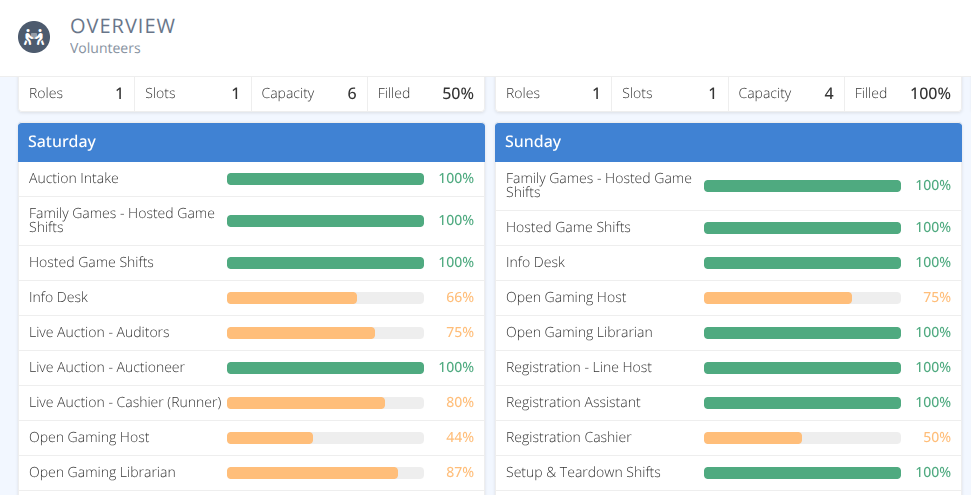
The provides a quick high level view of Roles by day and the percentage of schedule slots currently filled. Clicking on a role will take you to that role for a more detailed view.
¶ Common Procedures
Add a Volunteer DirectlyExport Volunteer SummaryCreate Roles and Shifts- redirects to Roles pageReview an Application- redirects to Volunteer Applications pageApprove or Reject an Assignment- redirects to Submitted shifts pageGrant Access to Roles- redirects to Access page
¶ Browse
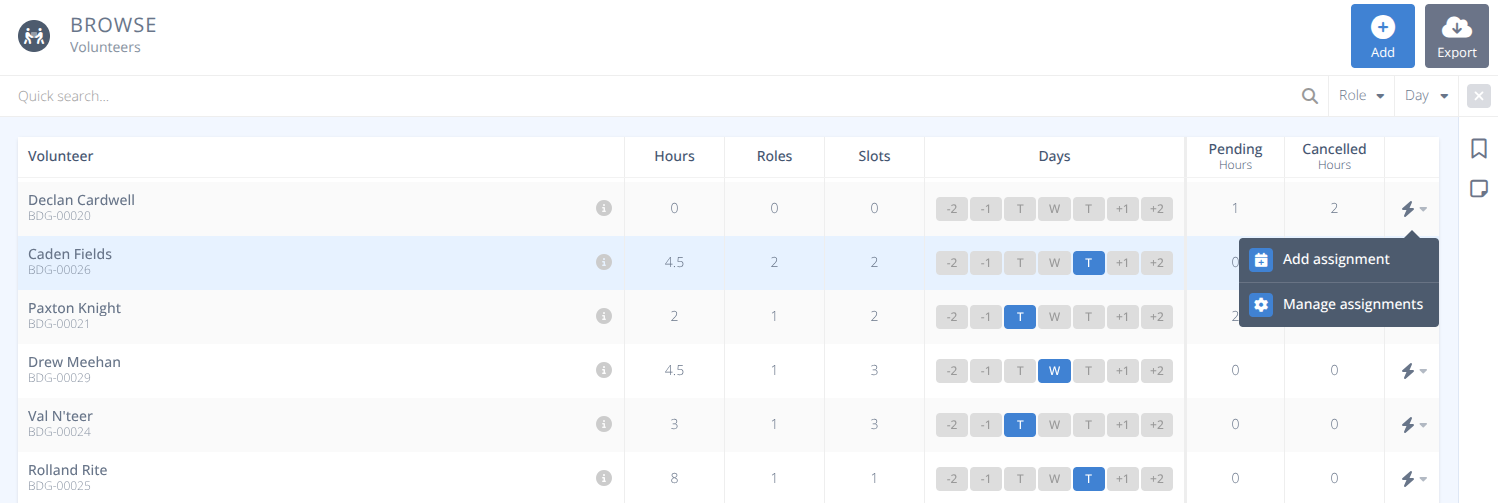
From the menu the grid will show a summary of each volunteer, a total of the number of Hours they are working, Roles they are fulfilling, and Slots they currently occupy. In addition the Days they are volunteering will be highlighted with their pending hours and cancelled hours also showing. Selecting a row will display the details of that volunteer and allow you to manage their assignments.
As with all of the grids the quick search and filter options are shown above the grid. Select any option to filter records as needed
¶ Procedures
¶ Add a Volunteer Directly
- Click the button.
- Search for the Attendee to add
- Select the Role
- Select the Slot
- Click
¶ Export Volunteer Summary
- Click the button on the top right.
- Select the required columns.
- Select if you want to include column names.
- Click