¶ Pre-approved
¶ Overview
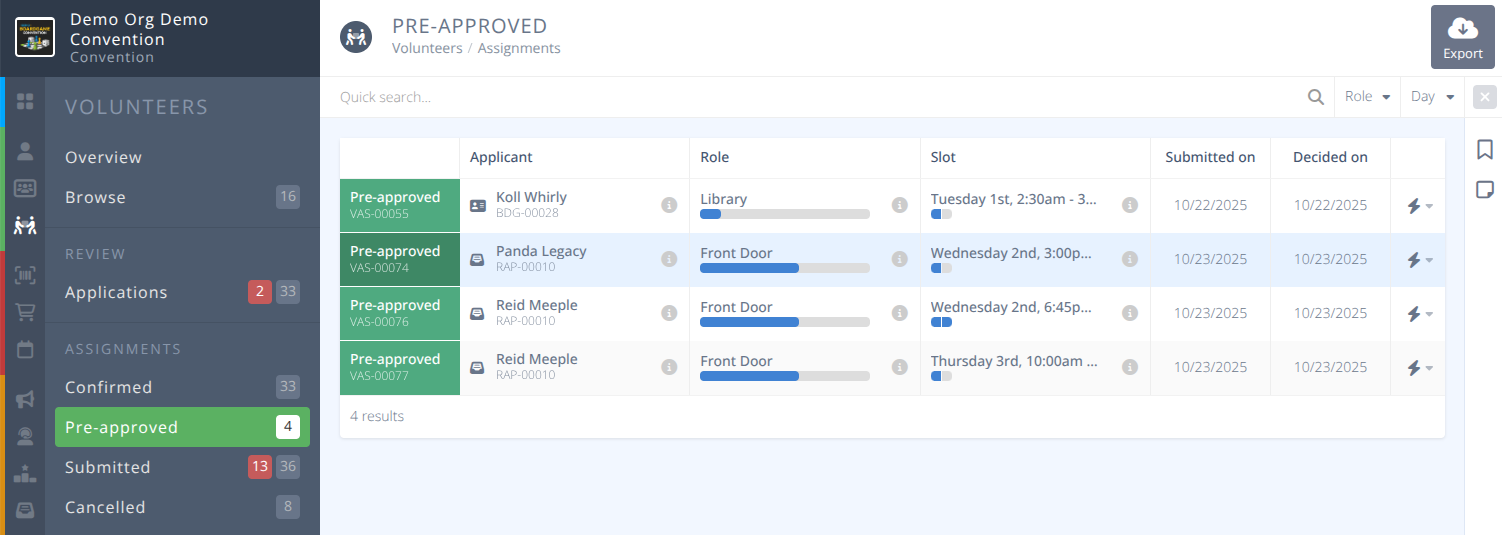
View and export pre-approved volunteers assignments. These are assignments that are approved for the applicant to claim and will move to Confirmed when they have done so. Filter by Name, Role or Day.
¶ Common Procedures
¶ Fields
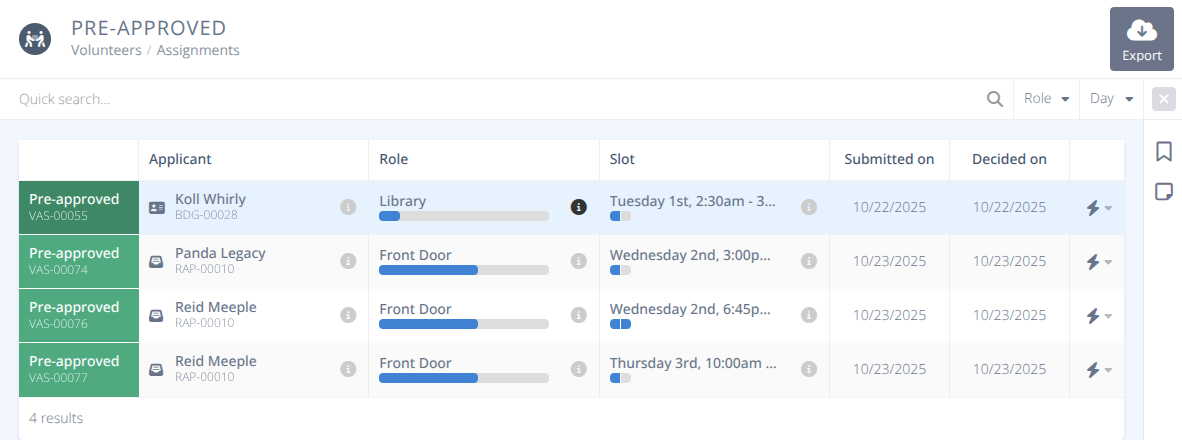
Status- The status of the assignment. For this screen all assignments will be Pre-approvedVolunteer- The name and badge number of the volunteer. The quick view (i) will pull up additional infomration on the badge.Role- The name of the Role. The quick view (i) will pull up additional information on the role. The bar shows how many of the slots for that role have been filled.Slot- The time and date of the slot. The quick view (i) will pull up additional information on the slot. The bar shows how many of that slot are available and have been filled.Submitted On- The date the Assignment was submitted by the applicant.Decided On- The date the Assignment was pre-approved.
¶ Procedures
¶ Retract a Pre-approved Assignment
- Locate the assignment you wish to retract the pre-approval from using the filters if needed.
- Using the Actions button on the end of the row of the assignment click Retract assignment to move it back into pending status.

- Click Confirm
¶ Export Pre-approved Assignments
- Click the Export button on the top right.
- Select the columns you wish to export
- Select if you want to include column names.
- Click Generate & Download to download a csv file with the displayed data.