¶ Tickets
Ticketed events and generic tickets can be found in this menu.
¶ Overview
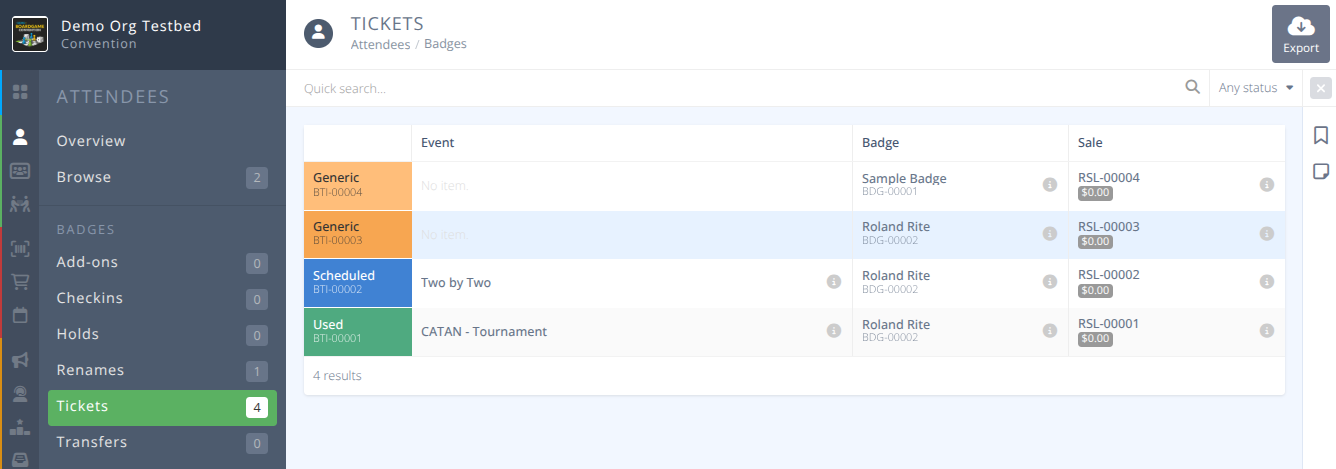
A ticketed event is one that you must have a ticket to join. Users can be scanned using the QR code on thier badge to gain entry to the ticketed event or verified against the list of people who have joined. Tickets can be free or have a price associated with them. In addition the system supports and allows for generic tickets that can be used during the purchase process to satisfy the cost of the ticketed event.
¶ Common Procedures
Configure Generic Tickets- Redirects to Sales/SettingsSwitch Attendee Ticket for another EventExport Selected Ticket DetailsHost Validates a Ticket at an Event
¶ Fields
-
Status- The ticket reference number and the ticket status, one of:
Generic - A generic ticket that has not been used for an event.
Scheduled - A ticket that is scheduled for an upcoming event.
Used - A ticket that has been validated at an event.
Cancelled - A ticket that has been cancelled and is no longer valid. -
Event- The name of the event the ticket is for. -
Badge- The internal badge reference number and name of the ticket holder. -
Sale- The internal ID of the sale the ticket is from and price paid for the ticket. -
Scanned On- The date the ticket was scanned and validated.
¶ Examples using Generic Tickets for an Event
If Generic Tickets are enabled (see Sales -> Settings documentation) there are 3 situations that can occurr when using them during a purchase.
¶ Example 1: Generic Tickets Do Not Cover the Cost of the Event
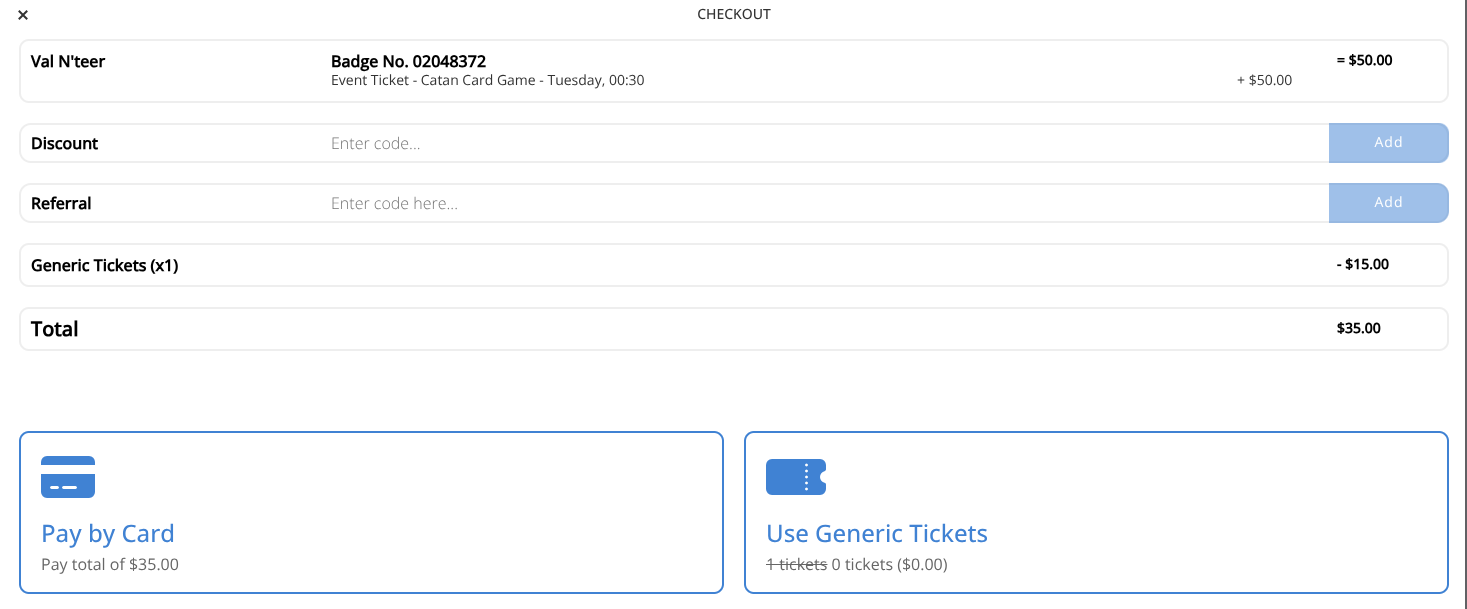
| Example 1 | Ticket Value Insufficient |
|---|---|
| Event Cost: | $50 |
| Generic Tickets Owned: | 1 |
| Generic Ticket Value: | $15 |
| Generic Tickets Used: | 1 |
| Amount Remaining to be Paid: | $35 |
¶ Example 2: Generic Tickets Cover the Cost of the Event
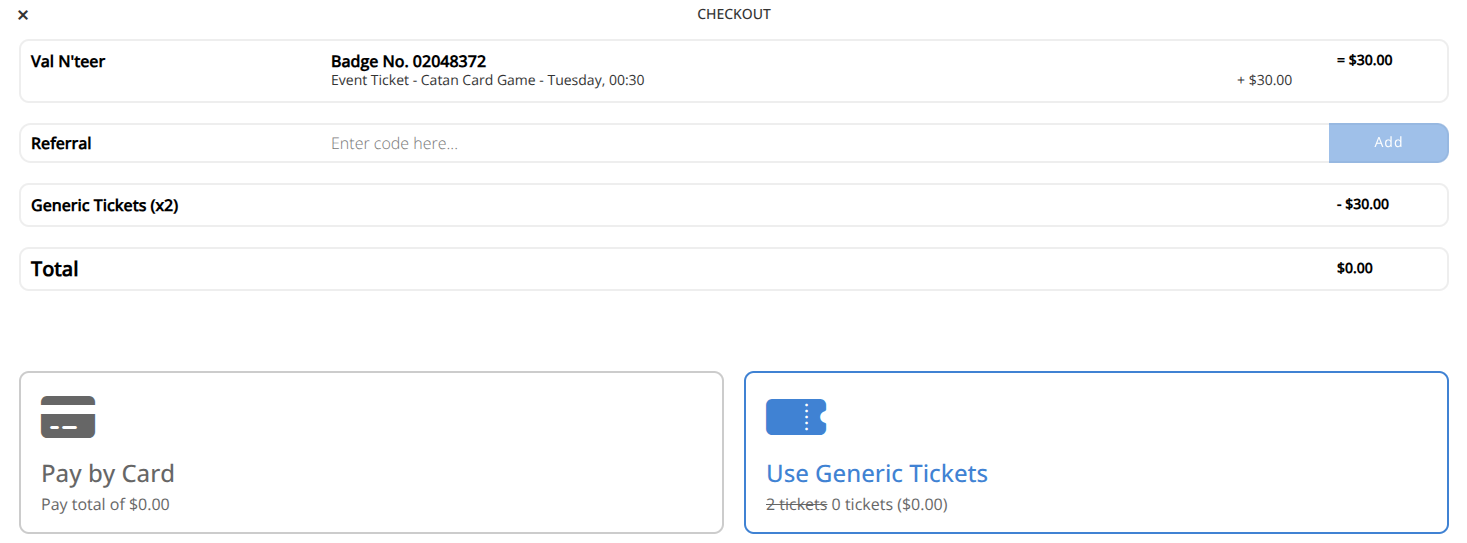
| Example 2 | Ticket Value Equals |
|---|---|
| Event Cost: | $30 |
| Generic Tickets Owned: | 2 |
| Generic Ticket Value: | $15 |
| Generic Tickets Used: | 2 |
| Amount Remaining to be Paid: | $0 |
¶ Example 3: Generic Tickets Exceed the Cost of the Event
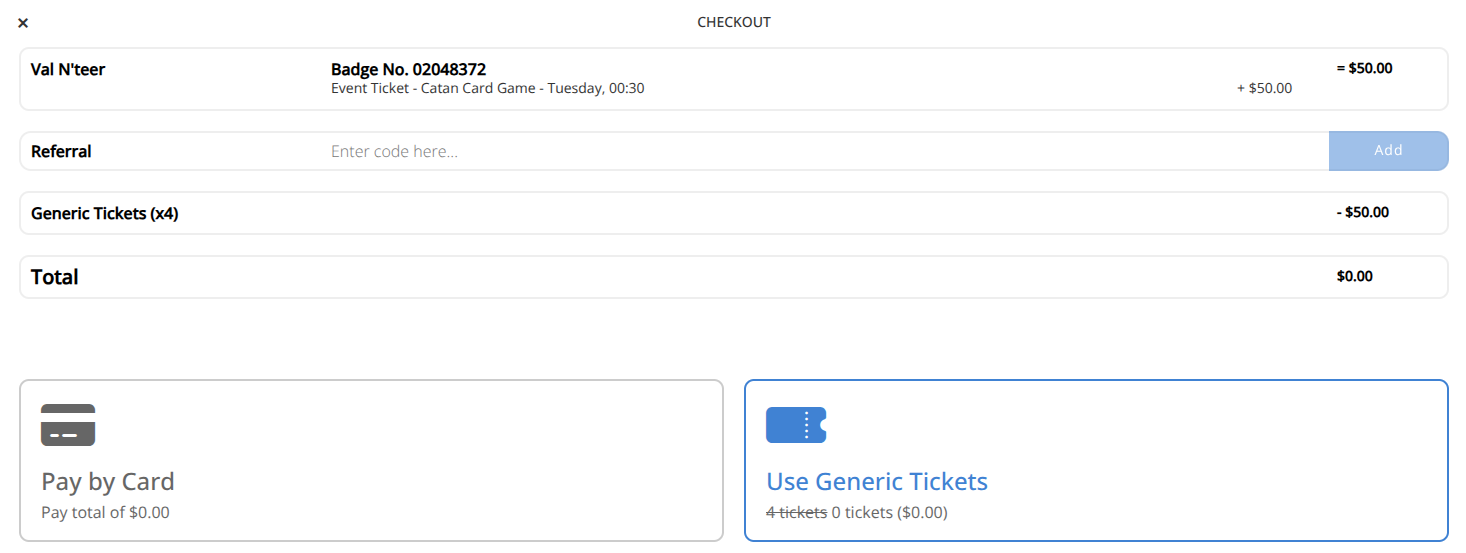
Note: In this case any excess value of the ticket is forfeited.
It is not currently possible to specify the number of tickets to use.
All available tickets will be used until the cost of the event is covered.
| Example 3 | Ticket Value Exceeds |
|---|---|
| Event Cost: | $50 |
| Generic Tickets Owned: | 4 |
| Generic Ticket Value: | $15 |
| Generic Tickets Used: | 4 |
| Amount Remaining to be Paid: | $0 |
| Ticket Value Forfeited: | $10 |
¶ Procedures
¶ Switch Attendee Ticket for another Event
- Locate the Scheduled ticket that you wish the event for using the quick search and filters as needed.
- Click the button in the action area of the screen.
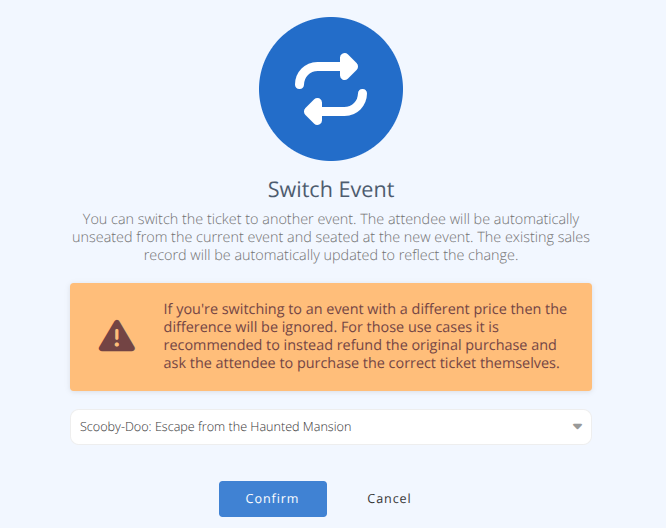
- Select or search for the new event using the selector.
Warning An administrative switch on a ticket ignores any price difference in events. If you want the attendee to pay the new price it is recommended to do a refund of the current event ticket and have them purchase the new event ticket.
- Click
¶ Export Selected Ticket Details
- Locate the ticket(s) that you wish to export for using the quick search and filters as needed.
- Click the button in the action area of the screen.
- Select the required fields and settings in the selection panel.
- Click the button to obtain the csv file of records shown.
¶ Host Validates a Ticket at an Event
Game Hosts can validate tickets from the event view in the app.
- From the Host account, select the event to scan tickets at.
- Select the icon in the bottom left corner of the screen.
- Using the device's camera scan the QR code on the attendee's badge.
- Either a red or green screen will show indicating if the attendee has a valid ticket.
- Valid tickets will be marked as used in the administrative side of the application.