¶ Scan Players Into Your Game
There are two ways to scan players into your game:
- Have the players with you when you checkout or return the game asking the librarian to scan all player badges involved.
- You can add players to your game at the game table. This allows for a faster checkout process for everyone and adding drop in players.
Note: This is extermely important for Play to Win games, as each person scanned into the game has a chance to win the game. Refer to the Play to Win section of the Library for more information on this topic.
¶ Scanning in Players at the Table
- Login to the Android, iOS, or web app at my.cardboardevents.com.
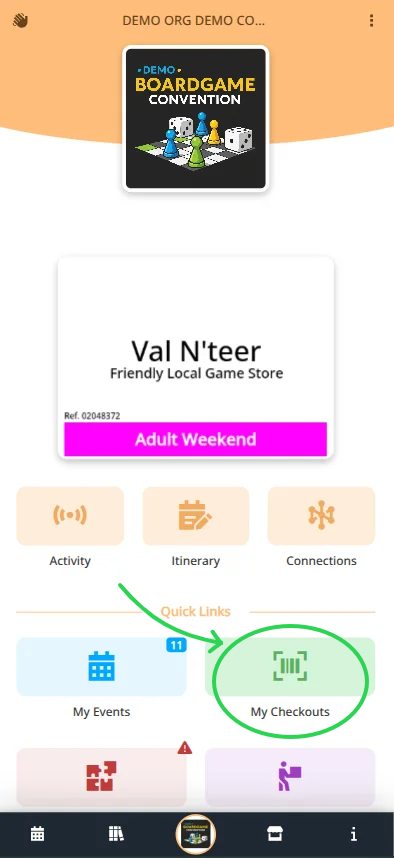
- Select your convention and badge.
- Navigate to the Library menu
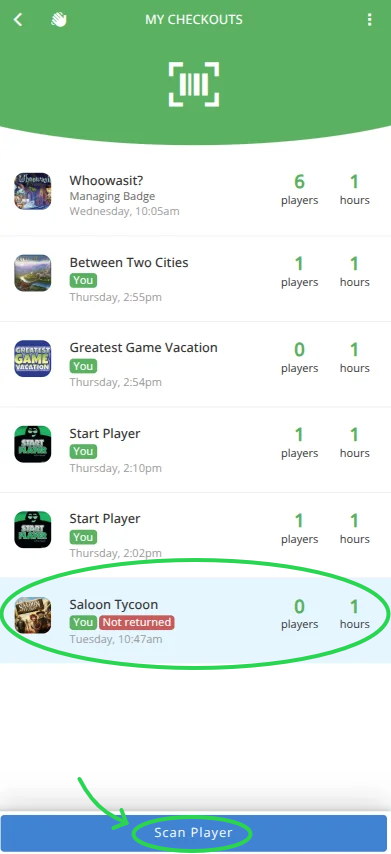
- Select My Checkouts
- Select the Game that is
- Click
- Scan the QR code of the player to add.
- Repeat for all players playing.
- You can only add new players while the game is checked out from the library.
- A device with a camera is required.
- The app will need permissions to use your camera.