¶ Event Types
¶ Overview
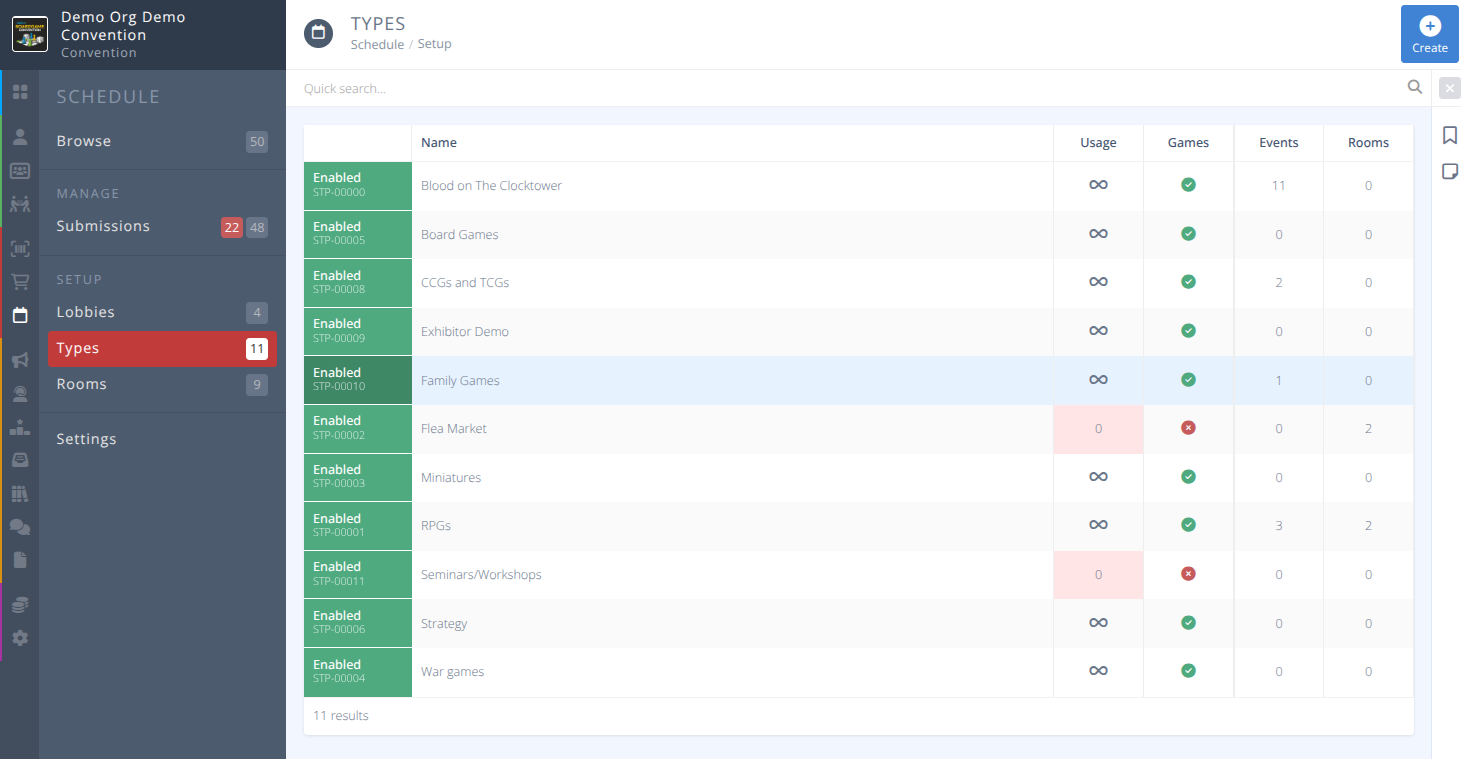
These types help define the events that you will allow your attendees to create at your convention. They can be used to restrict what events can be created in rooms. Note that Event Types and Lobbies are independant of each other. An event can only have one type, but can have multiple Lobbies.
¶ Common Procedures
¶ Fields
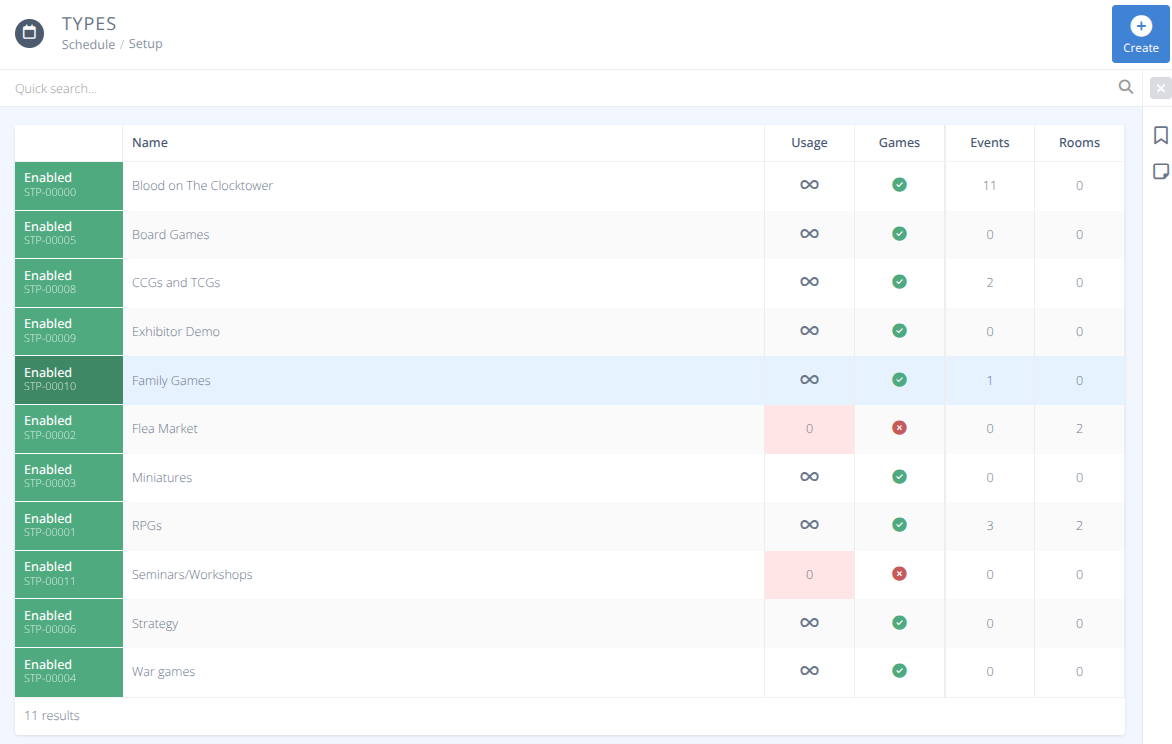

Name - The name of the event type.
-
Status- The status of the type, either:
Enabled - This type is available to use when submitting events.
Disabled - This type is not available to use when submitting events. -
Usage- Who can use this event type, either:
Private - Only permitted users can submit events of this type.
Public - All users can submit events of this type. -
Games- Handling of specific event fields, either:
No - This type is not for playing a game and so some options are hidden when submitting.
Yes - This type is for playing a game and so additional options are available when submitting (e.g. Min. Experience) Usage Tab- When the type is set with a Usage of Private the list of those who are granted access. Access can be granted to any of the following:
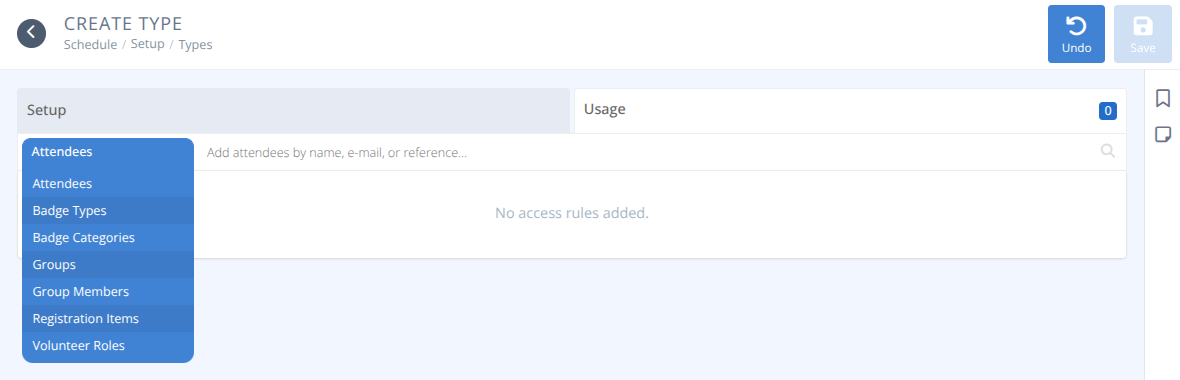
Attendees - The specified attendees will have access.
Badge Types - Attendees holding the specified badge types will have access.
Badge Categories - Badge Holders assigned the specified Categories will have access.
Groups - Attendees who are part of the specified Groups will have access.
Group Members - The specified Group Members will have access.
Registration Items - Attendees who have the specified items will have access.
Volunteer Roles - Attendees who have Volunteer slots for the specified Roles will have access.
¶ Procedures
¶ Create an Event Type
-
From the menu of the section click
-
Specify the Name of the Event Type (eg. Game, Seminar, Miniatures, ...)
-
Select the Status of the Event Type.
-
Select the Usage of the Event Type.
-
Select if the Event Type is used for Games.
-
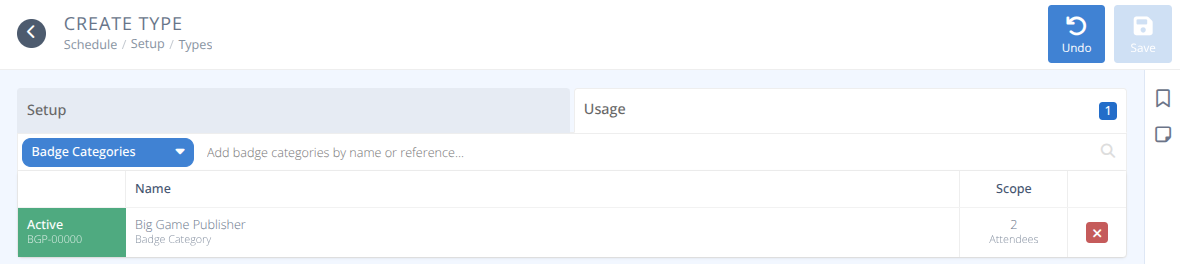
If the Event Usage is set to Private click on the Usage Tab to specify who may use it.
a) Select the required criteria to allow someone access to the Event Type using the dropbox.
b) Start typing the specific details of the criteria you want to apply. e.g.) Bi
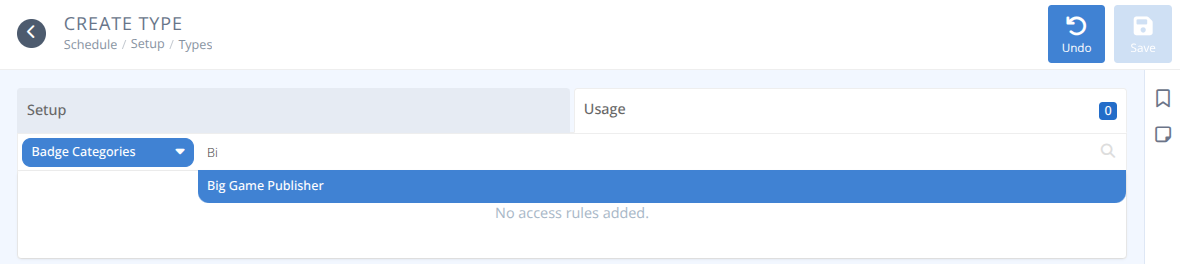
c) Select from the displayed options the specific criteria you want to apply and it will be added to the grid and display the number of attendees it applies to.
¶ Modify an Event Type
-
From the menu of the section select the row of the Type you wish to modify, using the quick search to narrow the results if needed.
-
Click on the row of the Type you wish to modify.
-
Modify the fields as needed using the
Fieldssection as a reference as needed. -
Click
¶ Delete an Event Type
-
From the menu of the section select the row of the Lobby you wish to modify, using the quick search to narrow the results if needed.
-
Click on the row of the Type you wish to delete.
-
Confirm that there are no events using this type by referencing the Events count.
-
Click
Warning: Deleting an Event Type cannot be reversed. Any events using this Type will no longer show with this type.
- Click