¶ Detailed Badge View
¶ Overview
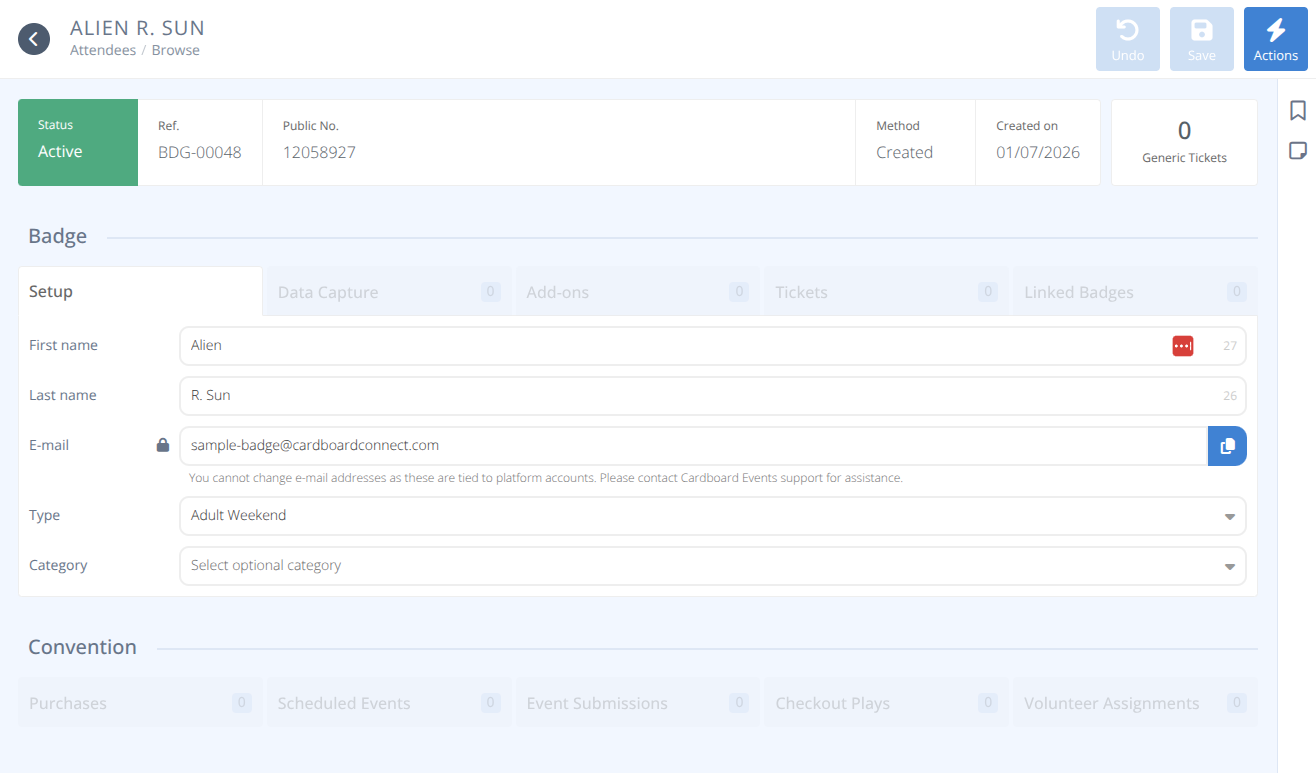
Clicking on a Badge in the Browse will take you to the detailed view of that badge.
This will provide you with a majority of the information on that badge holder including:
¶ Badge
- Registration Data Capture Details
- Add-ons Purchased
- Tickets
- Linked Badges
¶ Convention
- Purchases
- Scheduled Events
- Event Submissions
- Checkout Plays
- Volunteer Assignments
Please refer to the documentation on the main screen of each of the above areas if needed.
You can also modify the badge type, category, and name of the badge holder here.
Note: You cannot modify the email address of a badge as this is the identifier for their Cardboard Events account. The attendee must change their account email address or the badge must be transferred to another account to modify this field.
¶ Common Procedures
Edit Badge Type, Name, Subtitle, or CategoryComp Linked BadgeComp Add-OnGenerate QR CodeGenerate BadgeDelete Badge
¶ Procedures
¶ Edit Badge Type, Name, Subtitle, or Category
- Modify the chosen fields.
- Click .
- To modify the Type and Category these must first be defined in the Attendee Setup section.
- The Subtitle will only be visible if the Type has the option selected.
- Changes to Names and/or Subtitles will create a rename record.
¶ Comp Linked Badge
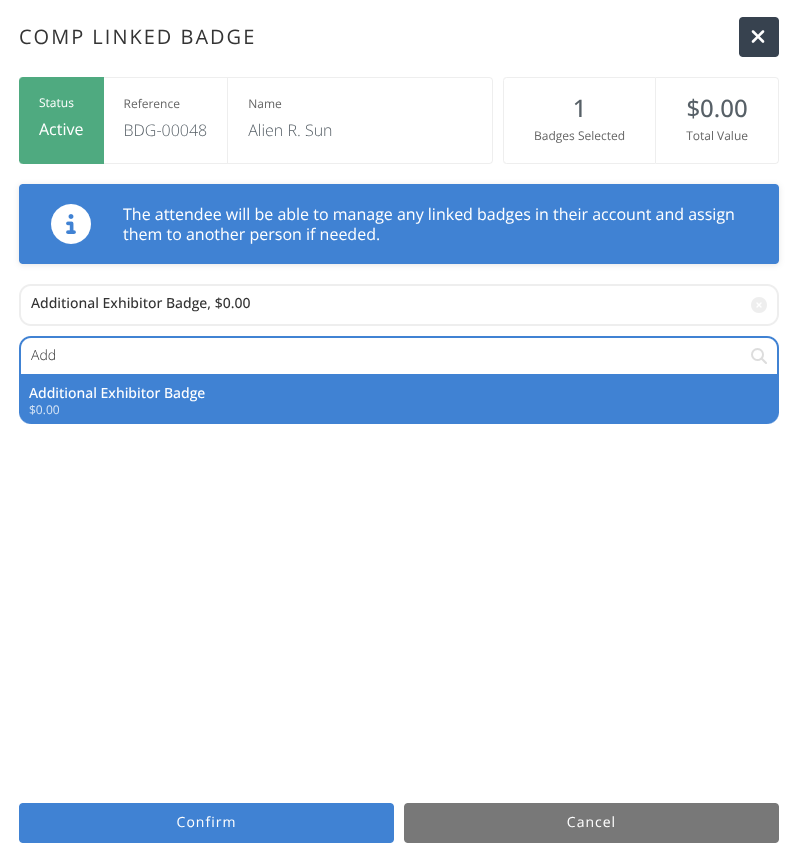
This can be useful when adding an employee to an exhibitor's badge or a child to a parent's badge. The managing badge holder will have full access to the linked badge without needing to create another account.
- Click .
- Click .
- Search for the badge sales items to comp. Click on the matching item to add it to the list.
- The Badges Selected and Total Value will be updated as badges are added.
- Click .
- The badge will be created and is accessible from the Managing Badge's Context Menu.
¶ Comp Add-On
- Click .
- Click .
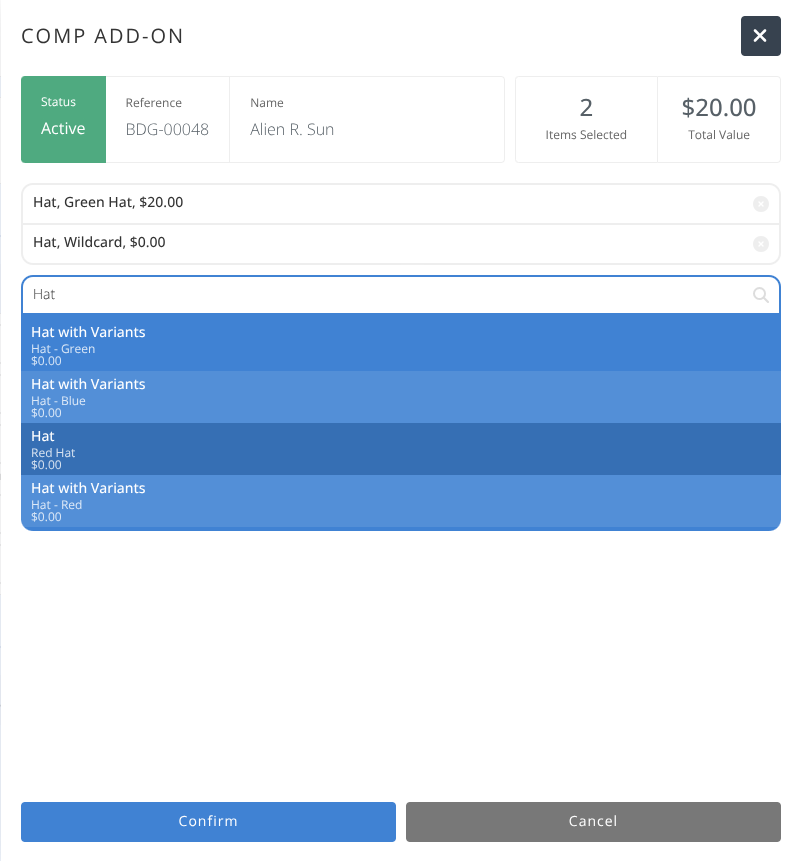
- Search for the non-badge sales items to comp. Click on the matching item to add it to the list.
- The Items Selected and Total Value will be updated as badges are added.
- Click .
- The add-ons will be added to the selected Badge Holder.
¶ Generate QR Code
- Click .
- Click .
- The QR Code for the selected badge will be displayed. You can save the image or open the image in a new tab to print.
¶ Generate Badge
- Click .
- Click .
- The Badge for the selected badge holder will be displayed. You can save the image or open the image in a new tab to print.
¶ Delete Badge
- Click .
- Click .
- A warning will be displayed.
Warning: This action cannot be undone.
All events hosted by this badge holder will be cancelled.
Exercise care with all deletions.
- After double checking that this is the badge you wish to delete, Click .