¶ Messages
View messaging in the system, respond to messages, and moderate when needed. All messages sent in Events, Lobbies, Contests, Volunteer Roles, and Play to Win will be found here. Admins can also now see the full chats and add a message directly without leaving the backend.
¶ Overview
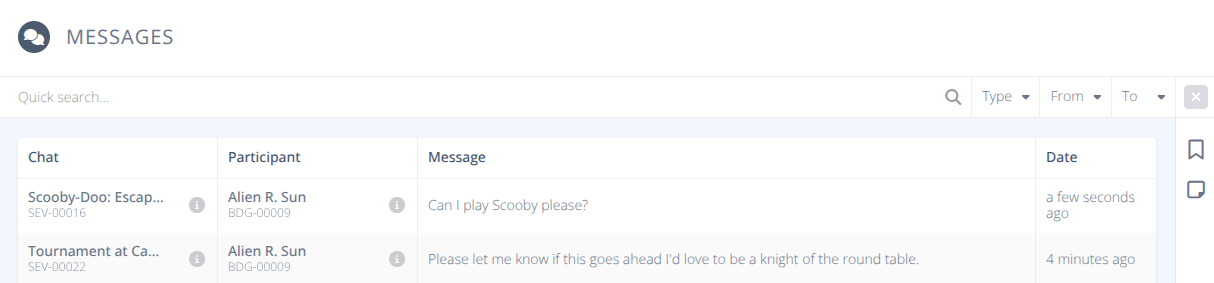
The Quick Search bar allows you to filter the messages by content and name of the sender. Additional filteration can be done using the Type (Lobby, Contest, etc.) and date sent using the From and To filters.
¶ Common Procedures
¶ Procedures
¶ View a Message and the Conversation
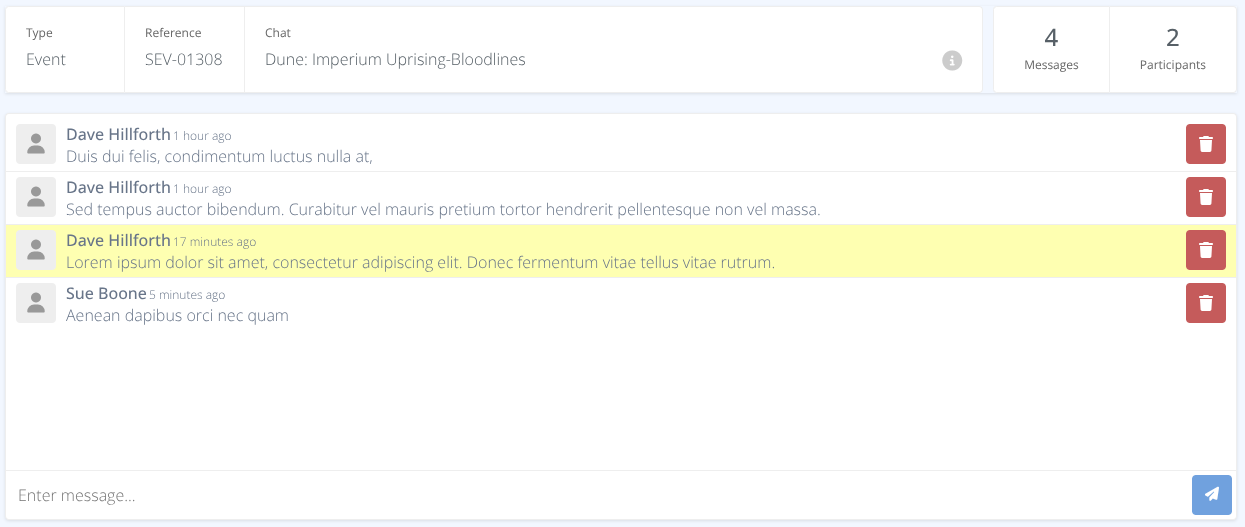
- Use the Quick Search bar to filter messages by type, date range, and content.
- Once you've located the message click on the row of the message.
- The message will be highlighted in the context of the conversation with details of the location of the chat and the number of participants displayed at the top.
¶ Reply to Messages
- Locate the message and view the detailed conversation as noted in the View a Message and the Conversation procedure.
- Click on the Enter message... text box to reply type your message and press Enter or click on the send button to send the message.
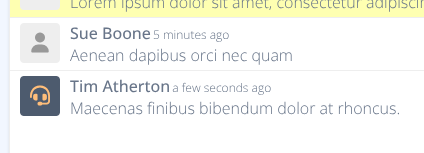
- Messages sent by administrators will appear in the chat with a headphone icon.
¶ Delete a Message
- Locate the message and view the detailed conversation as noted in the View a Message and the Conversation procedure.
Warning: There is no undo to recover a deleted message and no confirmation dialog prior to deleting the message. It is recommended to excerise care when deleting messages.
- Click the Delete button next to the message